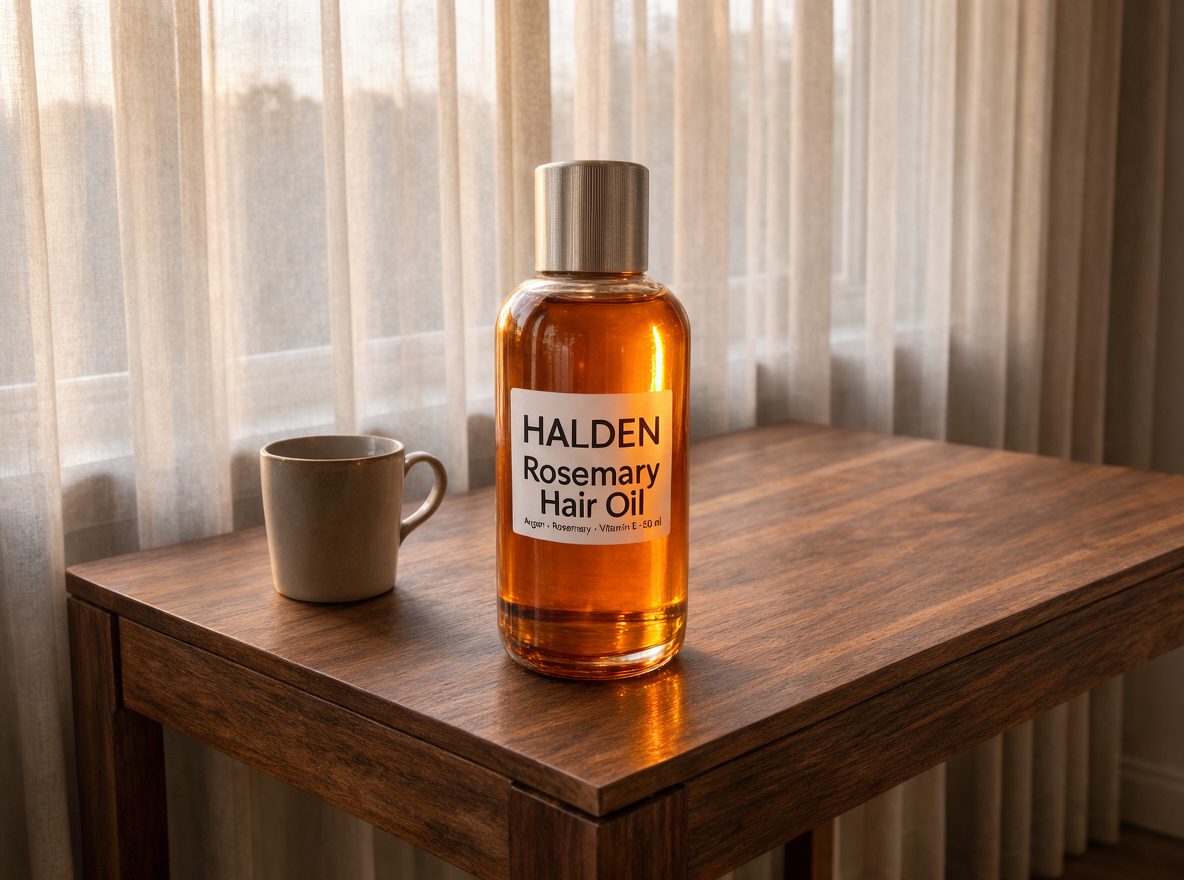
Image 1 is the product, image 2 is the scene. Place the bottle from image 1 standing on the wooden table in image 2, lit by the window light of image 2. Keep the bottle shape, colors and all the label text unchanged.
Put your product in a new scene, described in words or taken from a photo of your own table or shelf. This AI background changer keeps the brand name and product name letter for letter.
Change photo background three ways with this AI photo background changer: your own scene photo, one sentence, or a follow-up edit.
Image 1 is the product, image 2 is the scene. Place the bottle from image 1 standing on the wooden table in image 2, lit by the window light of image 2. Keep the bottle shape, colors and all the label text unchanged.
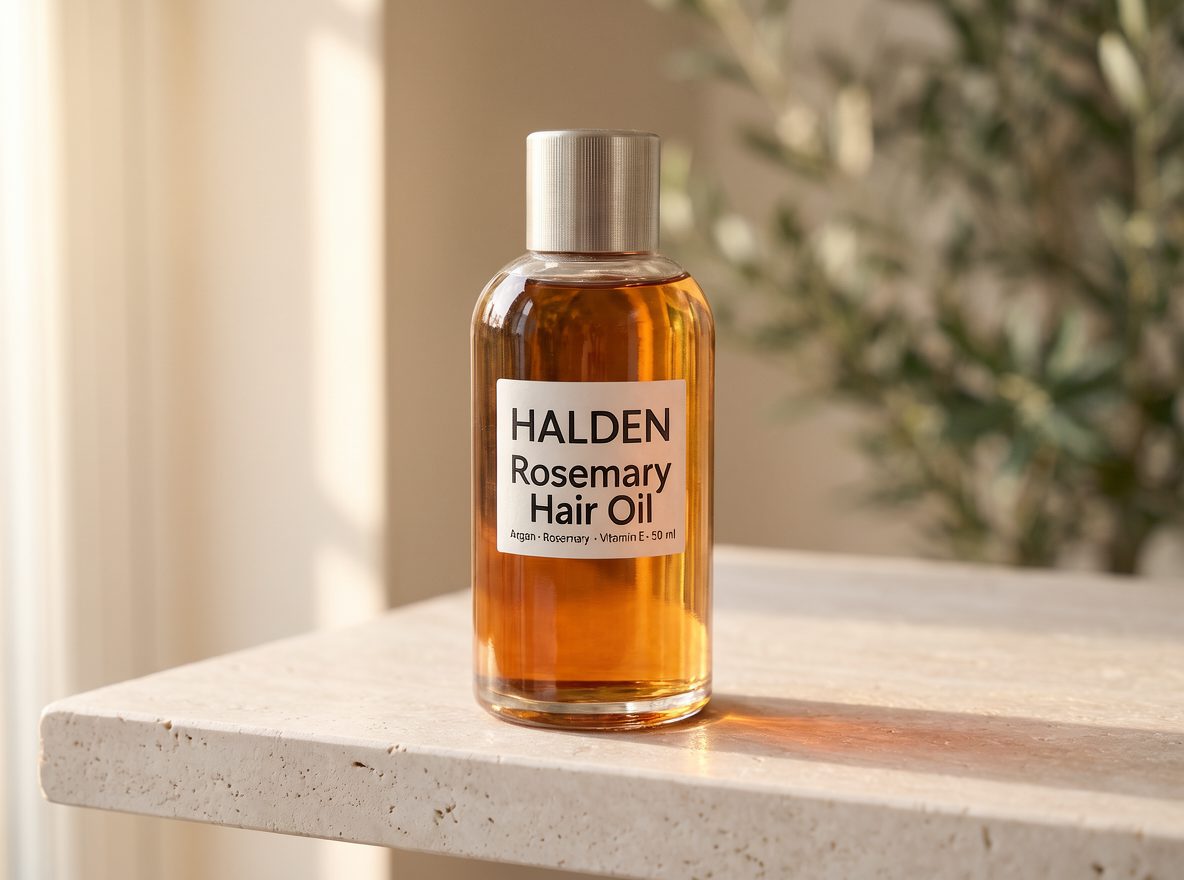
Place this bottle on a pale stone shelf in soft morning light. Keep its shape, the silver cap and the label text HALDEN and Rosemary Hair Oil.
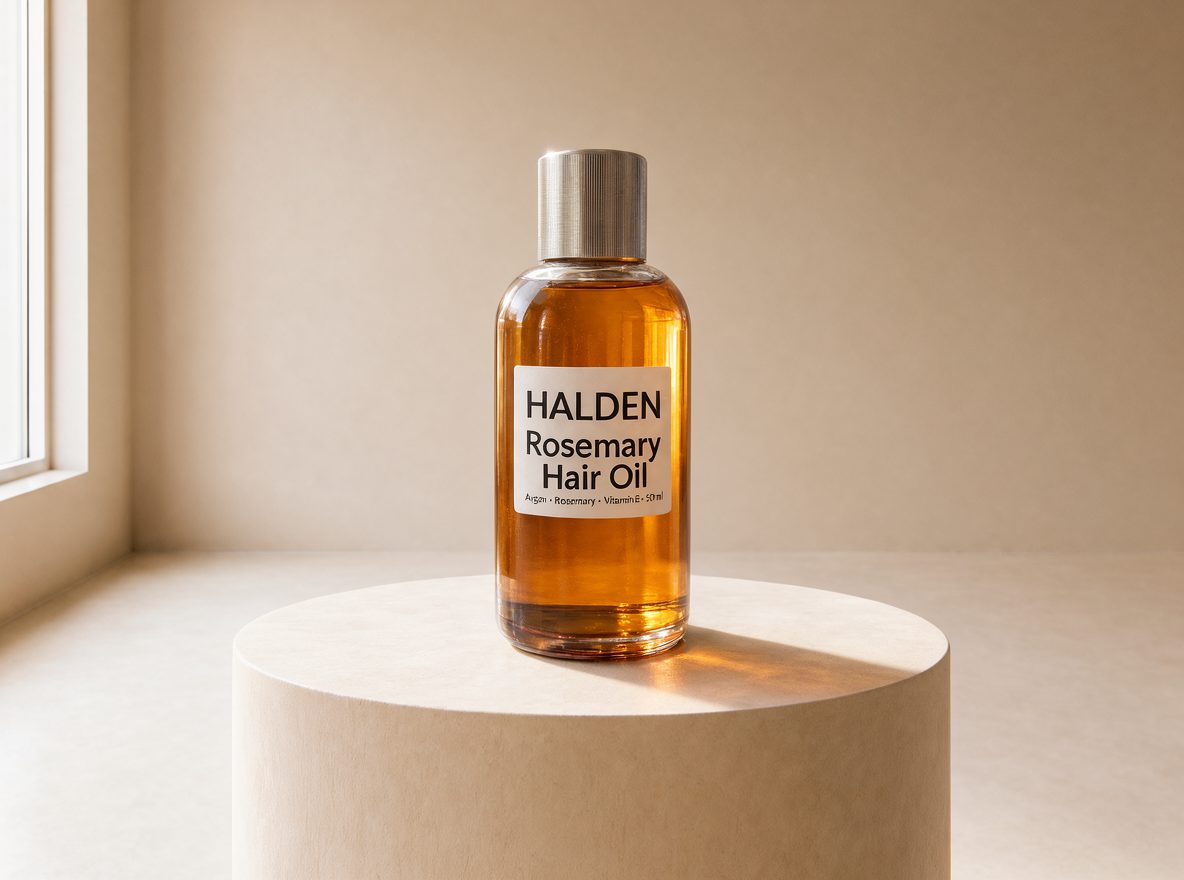
Place the bottle from image 1 on the empty pedestal in image 2. Use image 2 for the scene and camera. Keep the bottle shape, silver cap and label text.
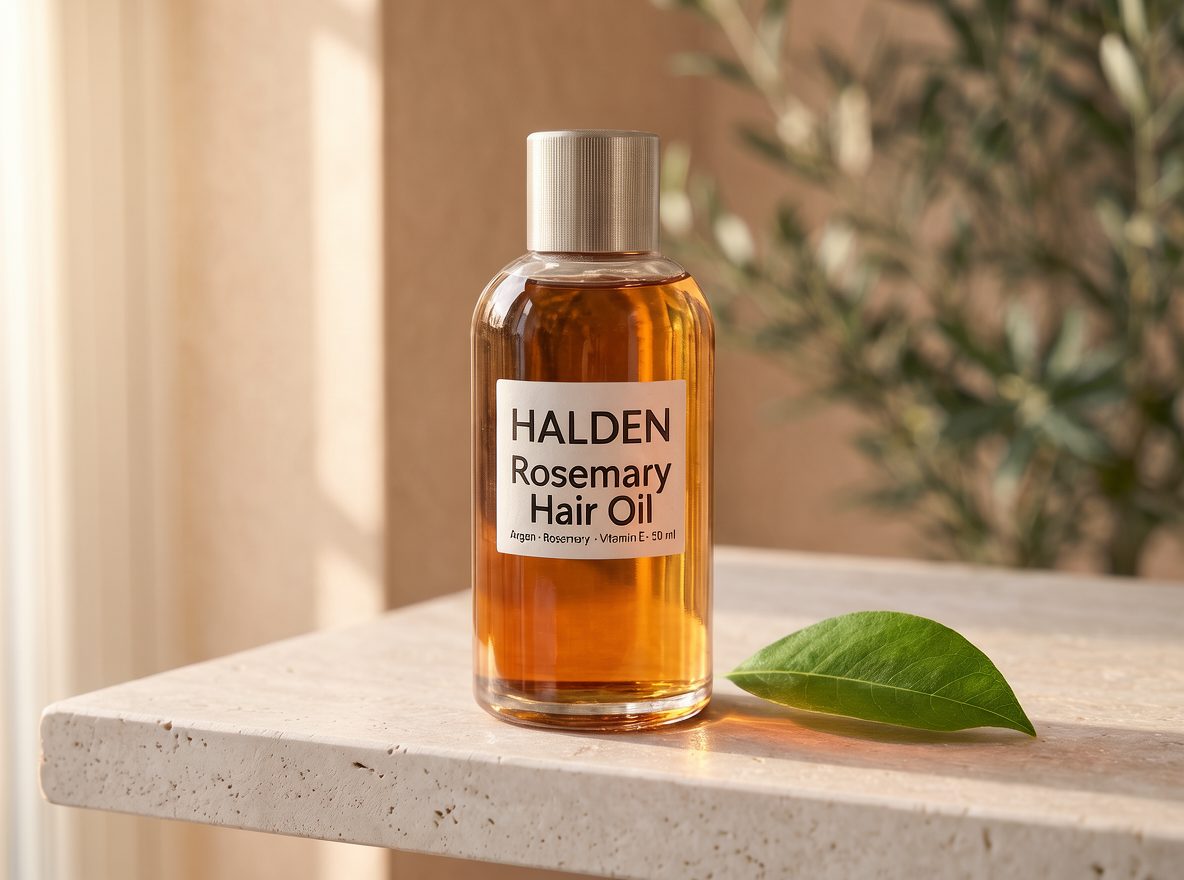
Change only the wall to warm beige. Keep the bottle, the label and the shelf unchanged. Add one green leaf on the shelf next to the bottle. Keep everything else unchanged.
Three ways to change the background of a product photo: from a scene photo, from one sentence, and over three rounds of edits.
Add a photo of an empty oak table by a curtained window as image 2, and the bottle lands on that table, from that camera angle, with the backlight casting its shadow and the oil's amber glow toward the front. The curtain, the plant and the wood grain stay as they are in the scene photo.
In that same edit, the small ingredient line "Argan · Rosemary · Vitamin E · 50 ml" came through correctly, next to HALDEN, Rosemary and Hair Oil.
"A wet black slate stone by a mossy waterfall, soft overcast light" was the whole brief. The brand name and product name came through letter for letter.
Place the bottle on a stone shelf, change the wall color, then add a rosemary sprig. After three rounds both label lines stay sharp.
Sellers and marketers change the background of a photo when booking a set costs more than the product shot.
One clean product photo and the AI background changer give you five listing images: kitchen counter, bathroom shelf, gift table, outdoor stone, seasonal window.
Shoot the bottle on your desk, then place it on the café table you photographed last weekend with the AI background changer.
A new scene from the AI background changer for every post in the launch week, with the brand name letter for letter in all of them.
Test which setting sells: the same product on marble, on wood and outdoors, as separate ad variations.
Candles, soaps and jars shot on the kitchen table, moved into scenes that match the brand.
Mock up the client's own product in three campaign moods before the shoot is approved.
This AI background changer online needs one product photo, plus a sentence or a scene photo, and about 15–20 seconds.
Open the AI background changer and add the product as image 1. A phone photo is fine; large photos are shrunk in your browser before upload.
Write the new background in one sentence, or add a photo of your own table or shelf as image 2. Then say what must stay unchanged.
Check the credit cost on the button and generate. Compare before and after, download, or use the result as the next reference to change one more thing.
A pretty scene from an AI background generator is no use if the label comes back rewritten. This one is built around keeping the product.
A new scene is useless if the brand name now reads "HALDFN". Marketplaces and customers both notice. This AI background changer keeps the brand name and product name letter for letter, so the image can go on the listing.
Renting a set, props and lights for one product shot costs more than many products. Photograph a table or shelf you already have and the AI background changer uses it as the scene, in that room's light.
Picked a scene but the wall is wrong? Change only the wall, then add a prop. You refine the same shot instead of rolling the dice from scratch every time.
A sentence like "a wet slate stone by a mossy waterfall" is enough for the AI background changer to show you a direction before you shoot or style anything.
Looking for the best AI background changer for product photos? Here is what each page says it does.
How to brief this AI photo background changer for a listing-ready shot.
Change a backgroundThe brand name and product name hold from words alone. Add a photo of your scene as image 2 and the ingredient line comes through too.
Write "keep the amber oil color" or "matte green cap" and the product keeps its exact look.
Place one product at a time and each shot keeps the product at its true size.
FAQ
Answers on how to change the background of a photo with AI, credits, white backgrounds and commercial use.
Yes. An AI background changer keeps the subject of your photo and generates a new scene around it, from a sentence or from a second photo you add. This page is set up for product photos.
Yes, and it is the most reliable way to change photo background here. Add it as image 2 and write "use image 2 for the scene and camera". The product is placed in that scene, in that light.
Quote the words in your prompt, for example "keep the label text HALDEN Rosemary Hair Oil", and keep the product large in frame for the sharpest label.
Yes. Ask the AI background changer for a pure white (#FFFFFF) or solid-color background in the prompt and keep the product large in frame. Check your marketplace's main-image rules before you upload.
There is no cutting out or masking. You describe the scene or add a photo of it, and the model handles placement, shadows and light.
Close. An AI background generator makes a backdrop image; an AI background changer puts your existing product into a new scene and keeps the product.
New accounts get 24 starter credits, enough for one 1K background change with a scene photo. After that you buy one-time credit packs.
20 credits at 1K or 26 at 2K, plus 4 with High reasoning. Reference images are included, so adding a scene photo costs nothing extra. Packs are 2,000 credits for $29, 4,600 for $59 and 9,000 for $99, one-time, no subscription. On the $29 pack, a 1K background change works out to about $0.29.
If a generation fails for a confirmed technical reason, the credits go back to your balance.
Yes. Use them in store listings, ads and client work. You need the rights to the product photos and scene photos you upload.
Keep editing the same photo after the AI photo background changer: a new outfit, new hair or any other change.
Upload your product, describe the scene or add a photo of your own table, and let the AI background changer keep the brand name and product name letter for letter. Your first edit is covered by 24 starter credits.
Change a background