AI Hairstyle Changer: Try Hairstyles and Hair Colors with Krea 3
See yourself with long hair, braids, a bob or pink hair. Real Krea 3 hairstyle changes that keep the same face, glasses and outfit.
Upload a portrait, describe the hairstyle or hair color you want, and Krea 3 changes only the hair. Face, glasses, skin and clothes stay as they are, so you can compare looks side by side before a haircut or a color appointment.
Try a new hairstyle#
Start from one portrait with short curly black hair and ask for a new style, one at a time.
Change only her hairstyle to long straight black hair falling past her shoulders. Keep her face, glasses, freckles, white t-shirt, pose and background unchanged.
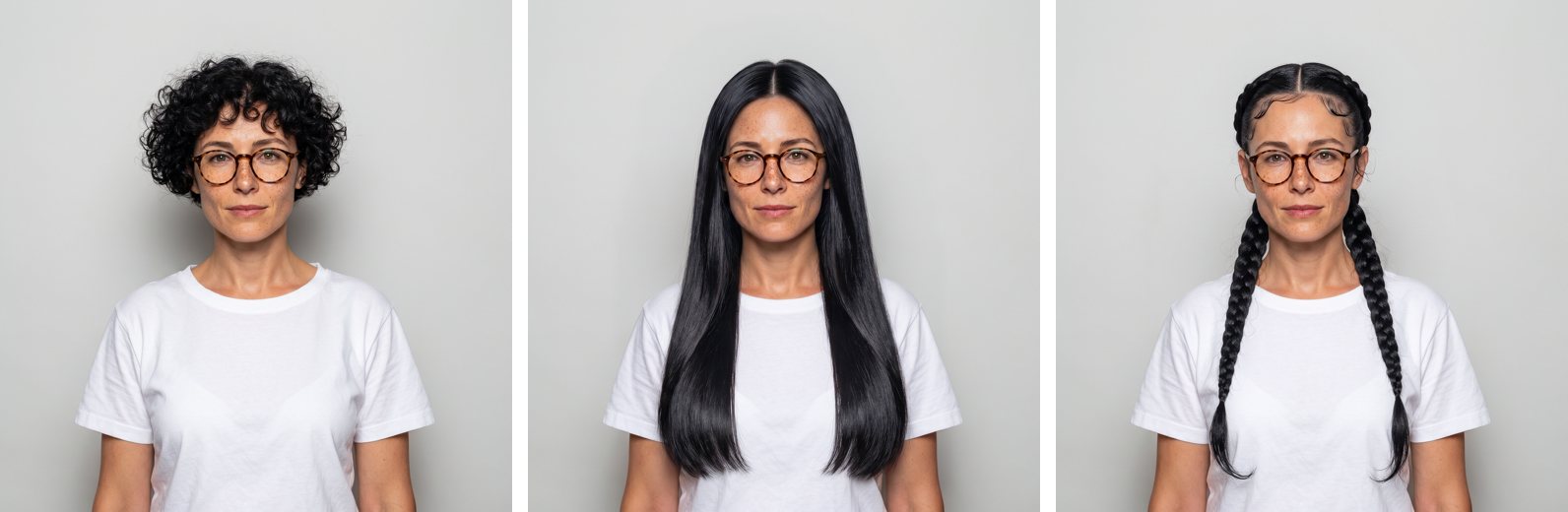
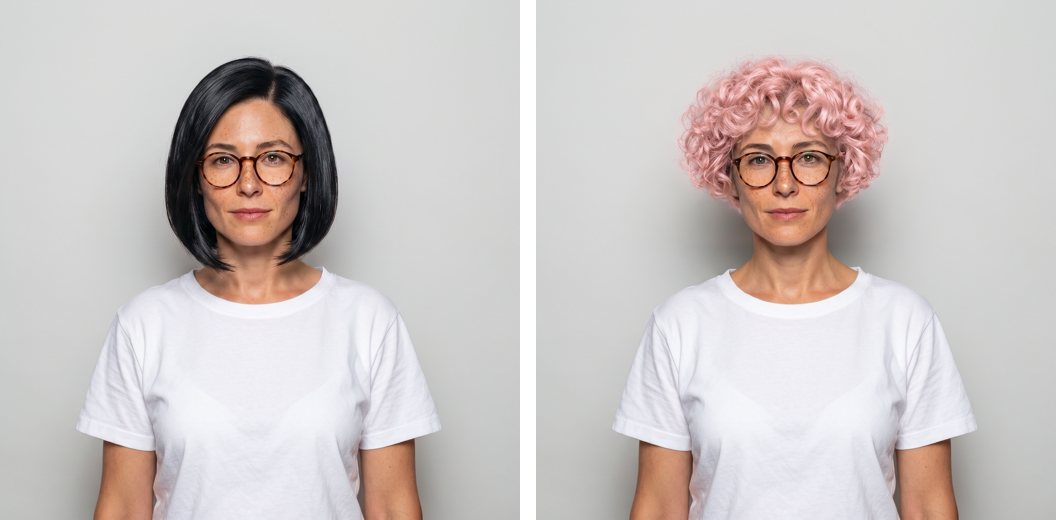
Long straight hair, two braids and a chin-length bob all kept the same face, glasses and freckles. With braids the hairline moved back, which shows more forehead; that is a natural result of the style, not a face change.
Change hair color only#
To try a color without changing the cut, say so explicitly.
Change only her hair color to pastel pink. Keep the same short curly hairstyle, her face, glasses, freckles, white t-shirt, pose and background unchanged.
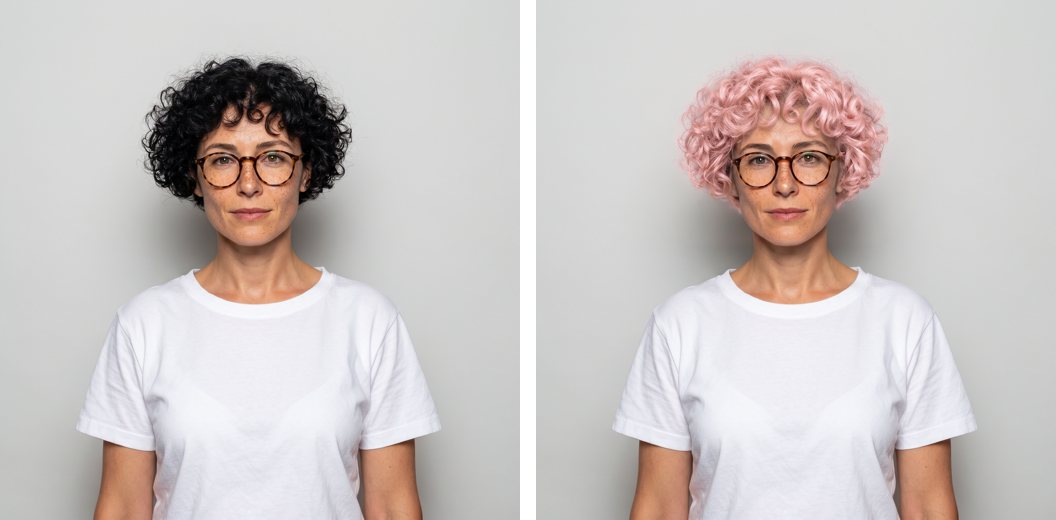
The curls kept their shape and size. This edit took about 11 seconds.
How to change your hairstyle in a photo#
Open the Krea 3 editor and upload a clear, front-facing portrait.
Describe the new style or color, and list what should stay: face, glasses, clothes, background.
Check the credit quote and generate. To compare several looks, run each style from the same original photo.
Tips for better hairstyle changes#
One change per edit. Ask for the cut or the color, not both at once, if you want to compare them.
Say "only". "Change only her hairstyle" keeps the rest of the photo as it is.
Start every style from the original to compare looks side by side.
Use a well-lit, front-facing photo for the cleanest result.
FAQ#
Will my face change? No. The face, glasses and freckles stay the same across all four hair edits.
Can I try hair colors without changing the cut? Yes. Ask to change only the hair color and to keep the same hairstyle, as in the pink example above.
Do I need a special photo? A clear, front-facing portrait with visible hair works best.
Is this the Krea AI hairstyle changer? Try Krea 3 runs Krea's Krea 3 image model, but it is an independent service, not affiliated with Krea. The official Krea site is krea.ai.
What does it cost? The credit cost is shown before you generate. New accounts get 24 starter credits, enough for one 1K edit.
More about small text and composites is in the Krea 3 review.
Try it on your own photo
New accounts get 24 starter credits, enough for one photo edit. Credits come in one-time packs, with no subscription.